
README
View on GitHub ↗

TickerQ
Background jobs and workflows for .NET
From a scheduled task to a recurring workflow. See every step along the way.




Start for free · Documentation · Explore the dashboard · View plans · Releases
TickerQ brings scheduling, job chains, and execution visibility into your .NET application. Run work on demand or on a schedule, coordinate dependent steps, and follow each execution through the dashboard. Use it for invoice processing, scheduled reports, data imports, notifications, and application maintenance.
Start for free. Companies with annual consolidated gross revenue below US$5 million qualify for Community, including production use. Other eligible users include individuals, nonprofits, and education. Check eligibility · Get your license →
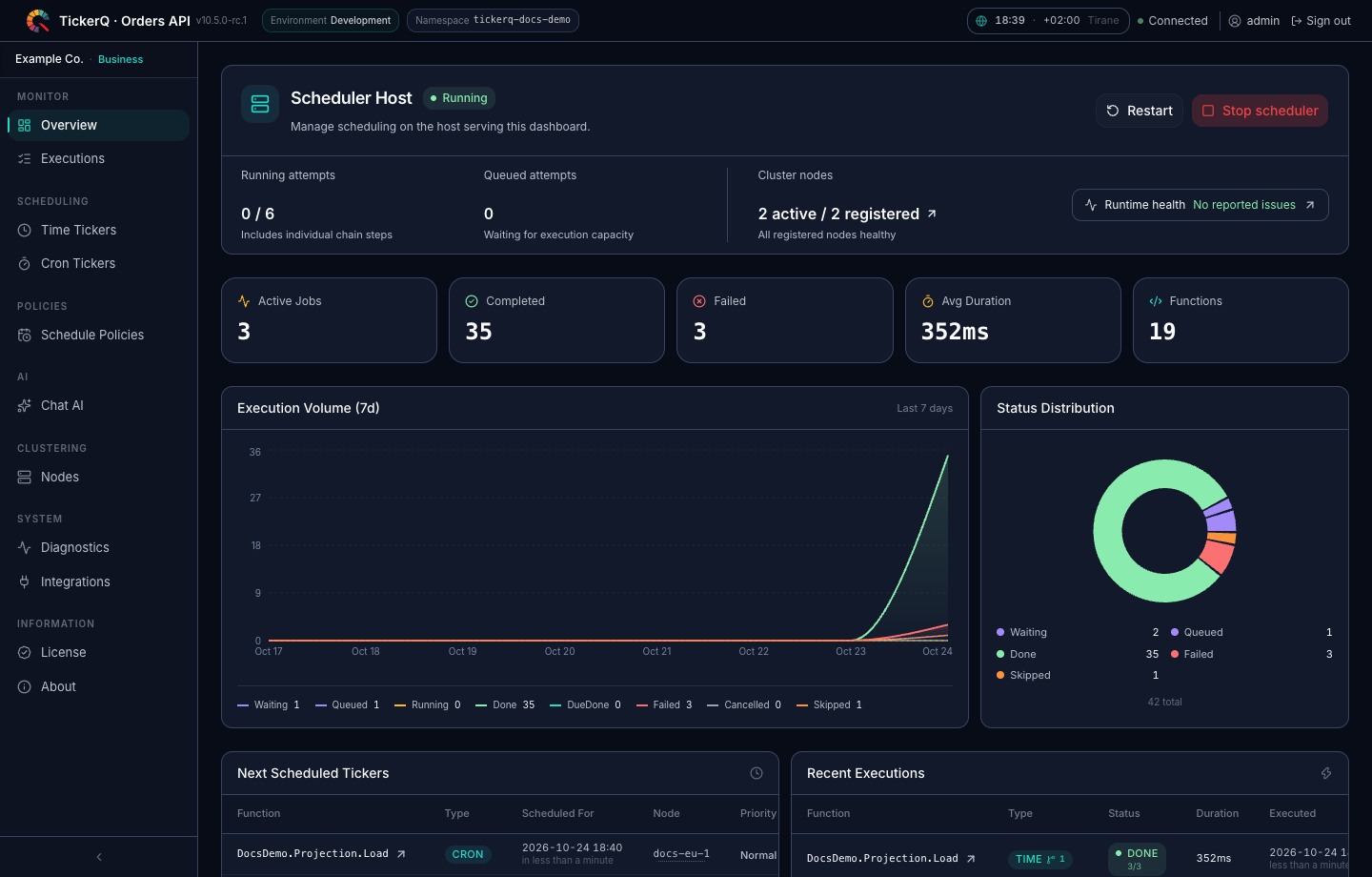
The current 5.x dashboard running on a two-node documentation demo. Workspace and certificate identifiers are anonymized.
Why TickerQ
- Write jobs in C#. Use typed requests and compile-time function registration. The core scheduler and dashboard support Native AOT; the AI assistant remains a managed-runtime feature.
- Build complete workflows. Connect jobs with conditional steps, pass results between them, and schedule a fresh chain for every recurring run.
- Keep execution under control. Set retries, priorities, per-host function concurrency, and cron overlap policies. Cancel pending work or request cooperative cancellation of a running job.
- Respect business calendars. Reuse named, time-zone-aware schedule policies for work hours, closure dates, holidays, cron schedules, and one-time jobs.
- Control late work explicitly. Run persisted work once, skip it after a per-job grace window, or catch up only the latest eligible cron slot after downtime.
- Commit jobs with business data. Stage time jobs and cron schedules in the same EF Core transaction as your application changes.
- Choose your storage. Use EF Core, MongoDB, or Redis for persistence, with in-memory storage for development.
- Run across application instances. Coordinate workers through a shared operational store, isolate workloads with application namespaces, and recover interrupted work.
For example, a daily invoice workflow can prepare invoices → generate PDFs → send them to customers, with retries and execution history for each step. Explore recurring chains →
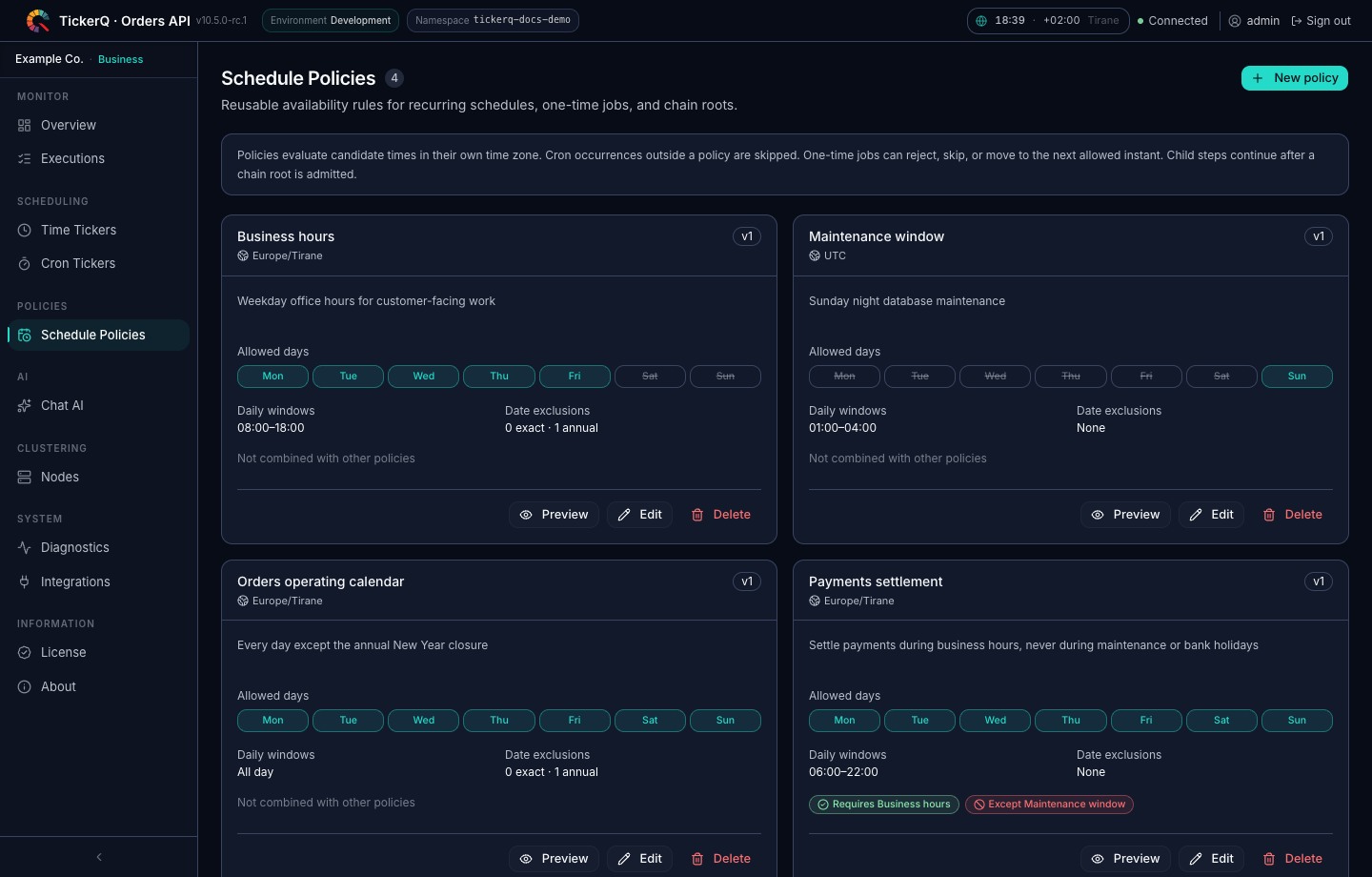
Schedule policies add modern calendar rules without moving date logic into job handlers. A one-time job can reject, skip, or move to the next allowed instant, while cron schedules omit blocked occurrences in their configured time zone. Per-job missed-execution rules separately decide whether late persisted work or the latest missed cron slot should run. Read the schedule policy guide →
A dashboard for daily operations
Understand what is scheduled, what is running, and what needs attention from the same interface.
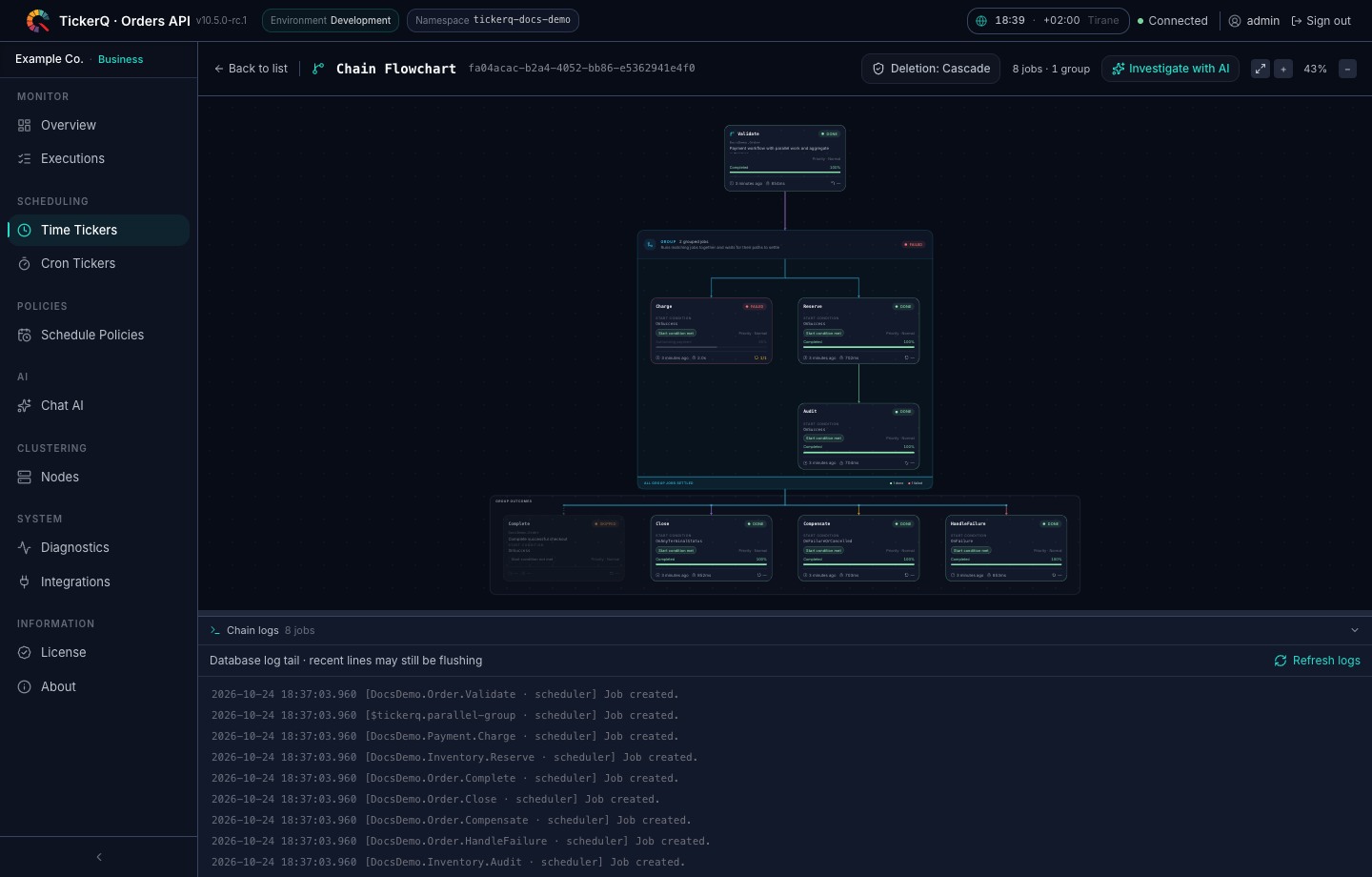
- Inspect each run: live status, execution history, logs, results, and a visual view of job chains.
- Manage scheduled work: create and edit jobs, trigger a run, pause cron schedules, and retry or cancel executions.
- Diagnose runtime issues: review scheduler health, execution ownership, registered functions, and retention settings.
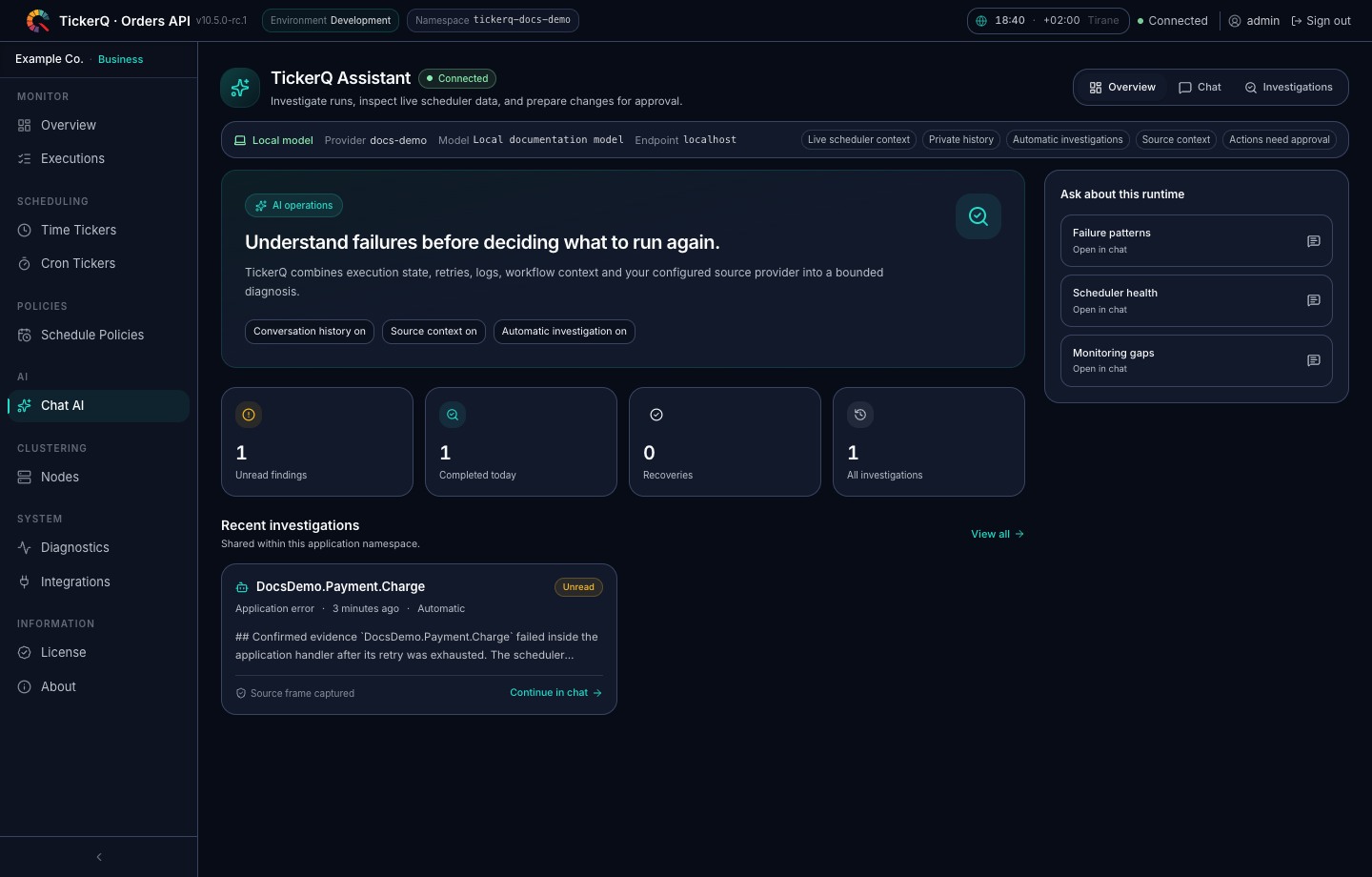
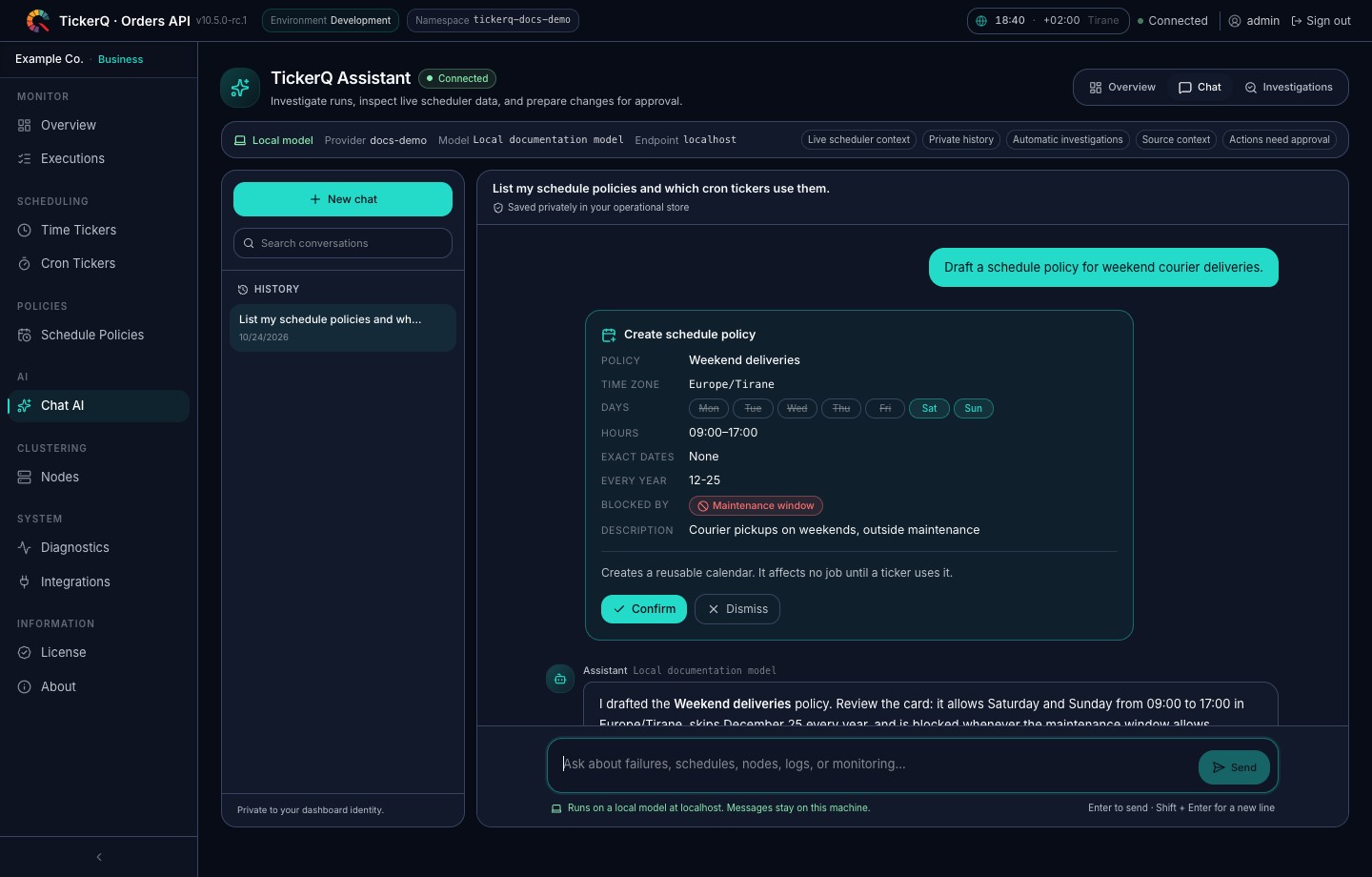
The optional AI assistant helps you explore jobs and logs in natural language and prepare jobs, schedules, schedule policies, or monitoring rules. It uses the model you configure, hosted with an API key or local without one, and shows where messages go. You review and confirm changes before they are applied.
Explore the interface
Select a view to expand its current dashboard screenshot.
Workflow execution — follow parallel branches, conditions, outcomes, progress, and status
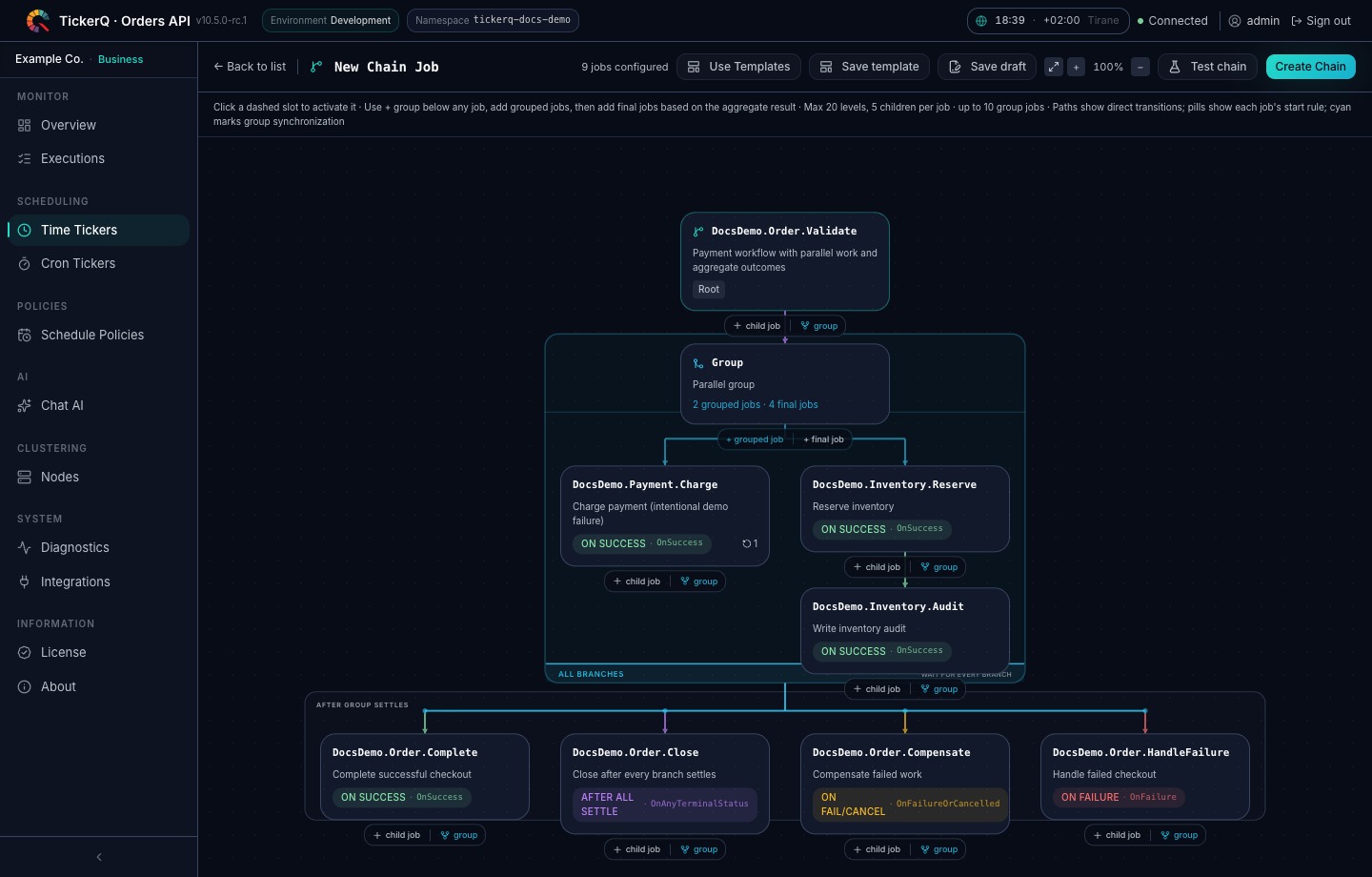
Visual workflow builder — create grouped branches and outcome steps without losing the job graph
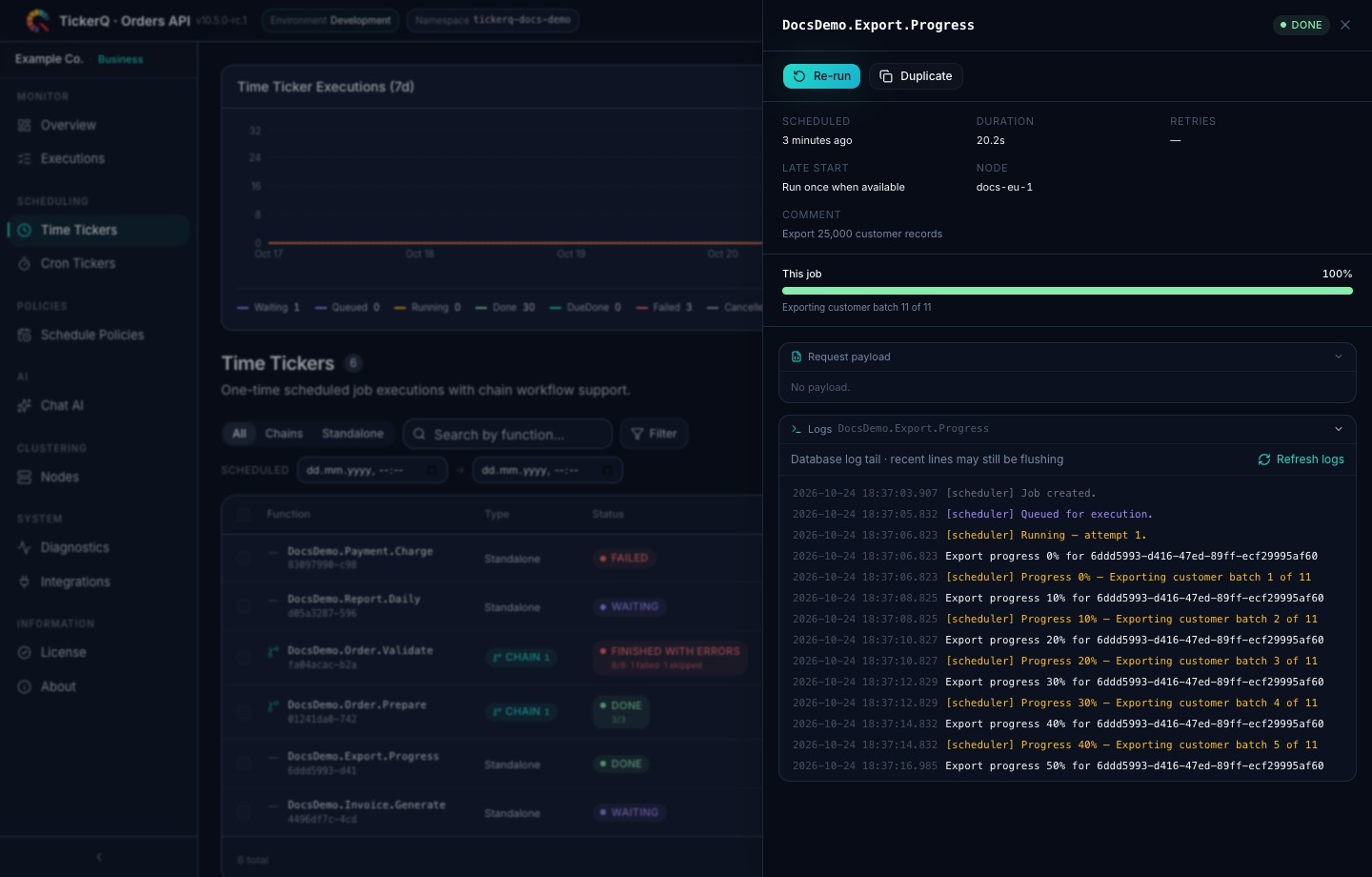
Execution details and logs — inspect lifecycle messages, retries, progress, errors, and application source frames
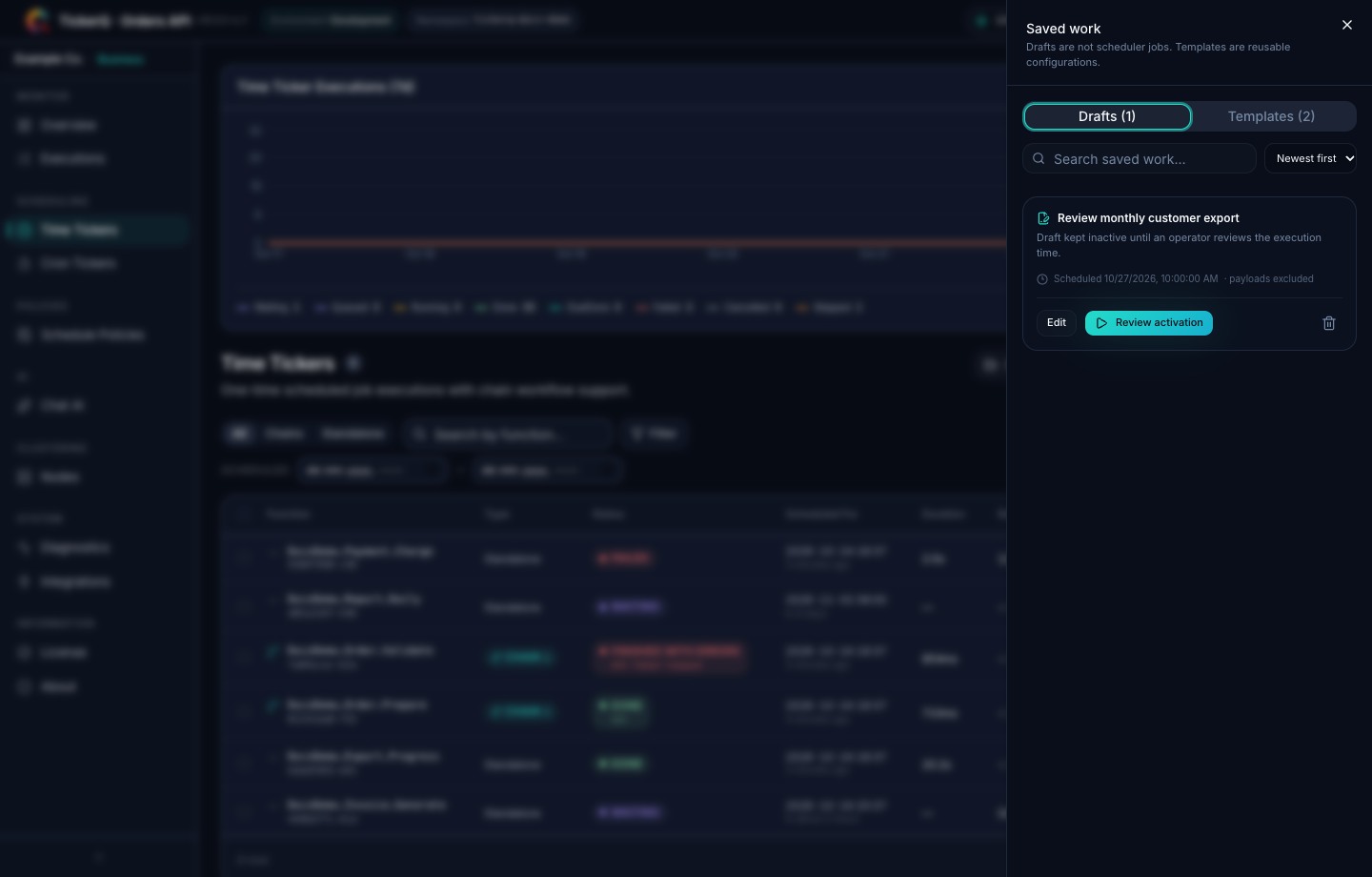
Drafts and templates — keep unfinished work non-executable and reuse complete chain designs
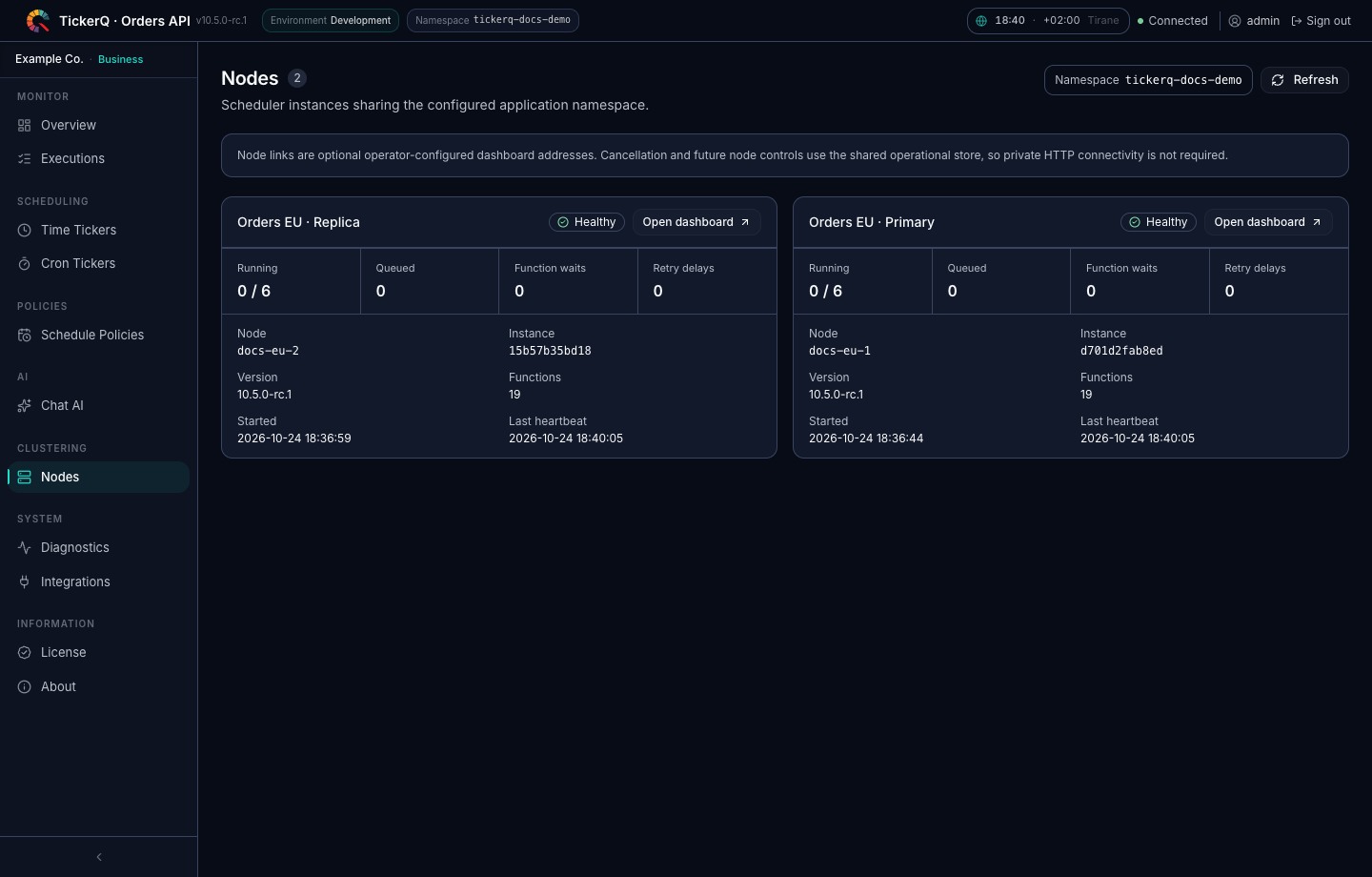
Cluster nodes — compare replica health, capacity, queues, versions, and registered functions
Schedule policies — define business hours, holidays, and maintenance windows once and combine them
AI assistant — review diagnoses, repeated failure patterns, recoveries, and proposed actions
AI chat — ask about runs in natural language and confirm proposed changes, with a hosted or local model
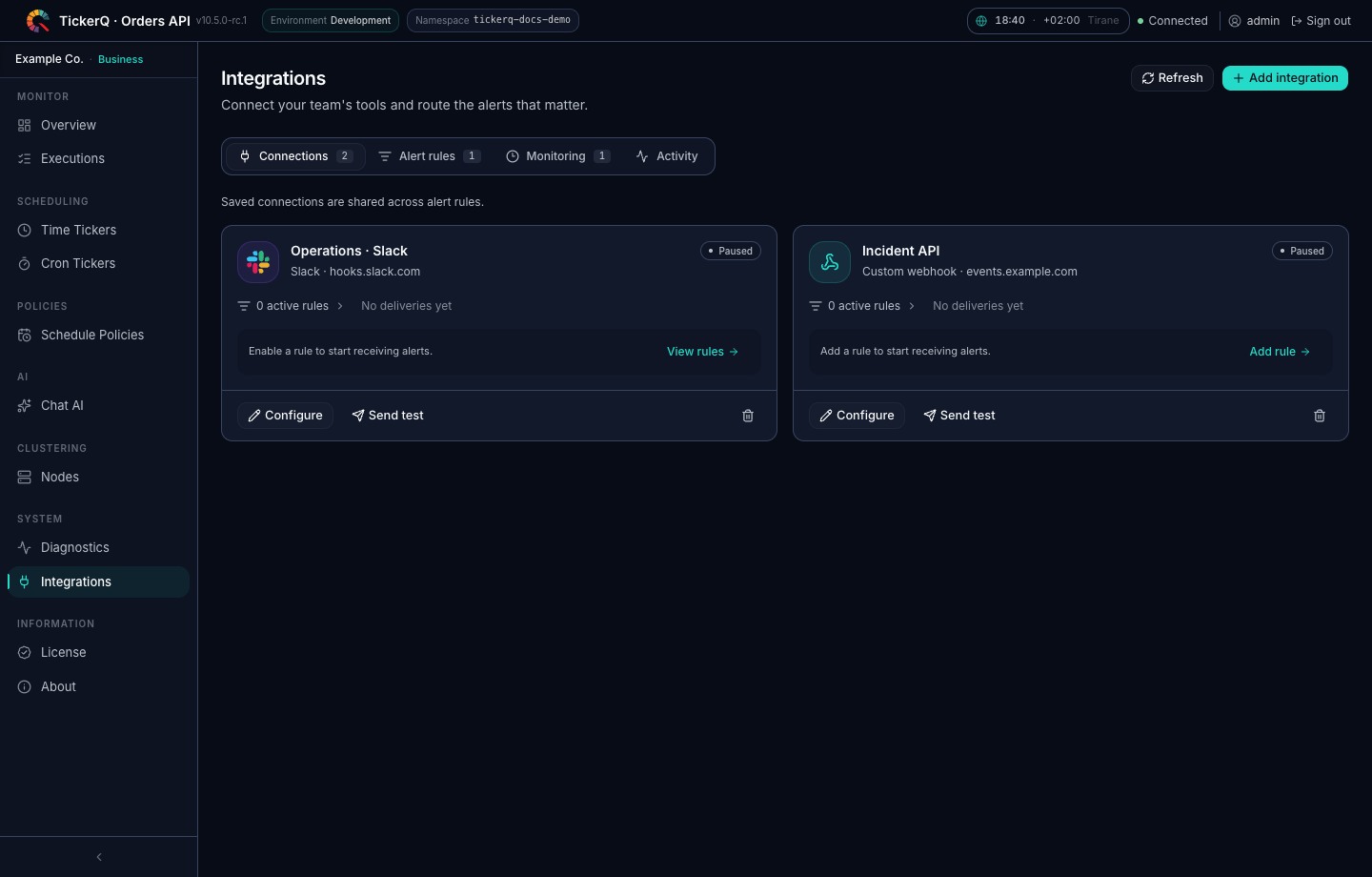
Integrations and monitoring — configure Slack, Teams, webhooks, alert rules, and monitors
Alerts, deadlines, and recovery
Connect Slack, Microsoft Teams, or a custom webhook with TickerQ.Integrations. Choose which functions to monitor and configure destinations, alert rules, and message payloads from the dashboard.
Set a daily completion deadline, detect repeated failures, or flag jobs that run too long. Enable recovery messages when a monitored issue clears. OpenTelemetry instrumentation connects execution traces to your existing observability tools.
Explore integrations and monitoring →
Packages
Add the packages your application needs. Installation and configuration are covered in the documentation.
| Package | Purpose |
|---|---|
| TickerQ | Scheduling and job execution |
| TickerQ.Dashboard | Management dashboard and optional AI assistant |
| TickerQ.EntityFrameworkCore | Relational storage through EF Core |
| TickerQ.MongoDB | MongoDB persistence |
| TickerQ.Caching.StackExchangeRedis | Redis persistence, caching, and coordination |
| TickerQ.Integrations | Slack, Teams, webhooks, and job monitoring |
| TickerQ.Instrumentation.OpenTelemetry | Execution tracing |
Utilities and the source generator provide shared contracts and compile-time registration. Keep .NET packages on matching release versions.
For centralized scheduling across applications, TickerQ Hub provides .NET and JavaScript/TypeScript SDKs with remote execution. Hub is a separate hosted service with its own terms.
Start for free
| License | Who it is for | Use |
|---|---|---|
| Community | Companies below US$5M annual consolidated gross revenue and other eligible users listed below | Free, including production use; annual renewal while eligible |
| Evaluation | Organizations evaluating TickerQ | One-time 30-day evaluation for internal, non-production use |
| Commercial subscription | Organizations outside Community eligibility, including companies at or above US$5M | Paid production use within the agreed scope |
Community eligibility
- Companies: annual worldwide gross revenue below US$5 million across the entire control group, including parents, subsidiaries, and entities under common control, for the most recently completed fiscal year.
- Individuals: using TickerQ solely on their own behalf, not for an employer or client.
- Nonprofits: validly registered nonprofit organizations.
- Education: eligible institutions, students, educators, and academic researchers using TickerQ primarily for teaching, learning, or noncommercial academic research.
For client work, the client must qualify independently or hold a paid license. Community certificates last 12 months and require renewed eligibility confirmation before expiry. The license agreement defines the full eligibility and usage terms.
Get your free Community license → · Compare commercial plans
Documentation and support
Installation, configuration, and usage guides are available on the documentation website.
- Reference: Manager API and release notes.
- Deployment: reliability, storage upgrades, and dashboard security.
- Support: Discord community and GitHub issues.
- Contributions: contributing guide and CLA.
Jobs should be safe to execute more than once, since retries and recovery can repeat execution. The reliability guide covers these guarantees and deployment considerations.
License
Current commercial versions of TickerQ are source-available under the TickerQ Software License Agreement v1.0. Community, Evaluation, and paid subscriptions are covered by the same agreement. See the licensing overview for package coverage, version boundaries, and certificate requirements.
Older releases published under MIT or Apache 2.0 keep their original terms. Third-party notices are preserved.
Maintained by Arcenox with contributions from the TickerQ community. Support ongoing development through OpenCollective.